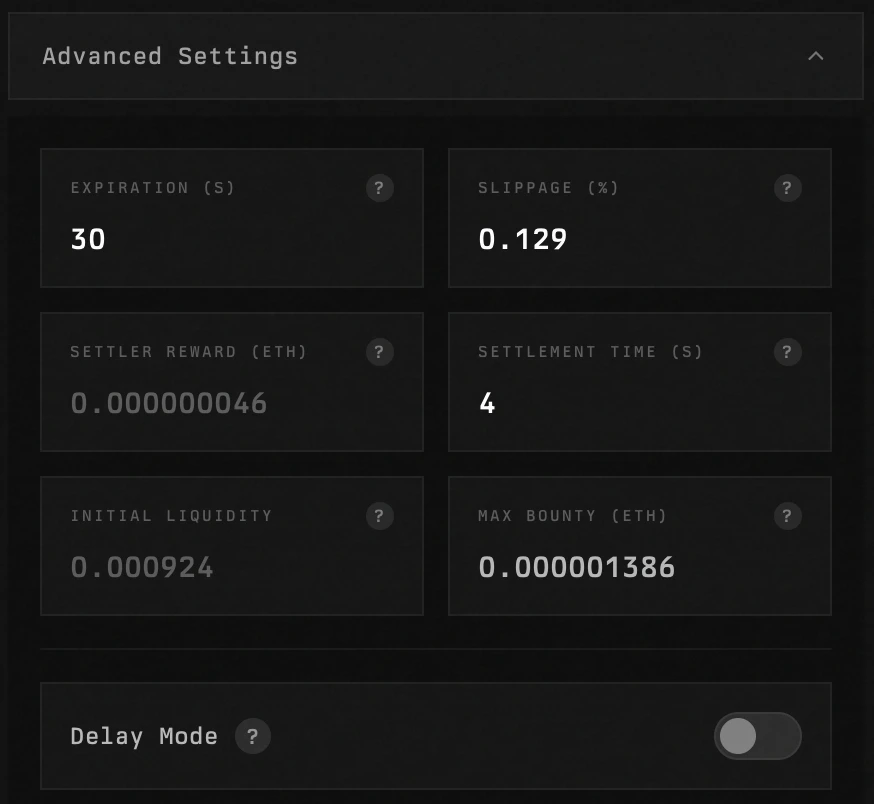
Creating a swap
The swapping UI looks like this: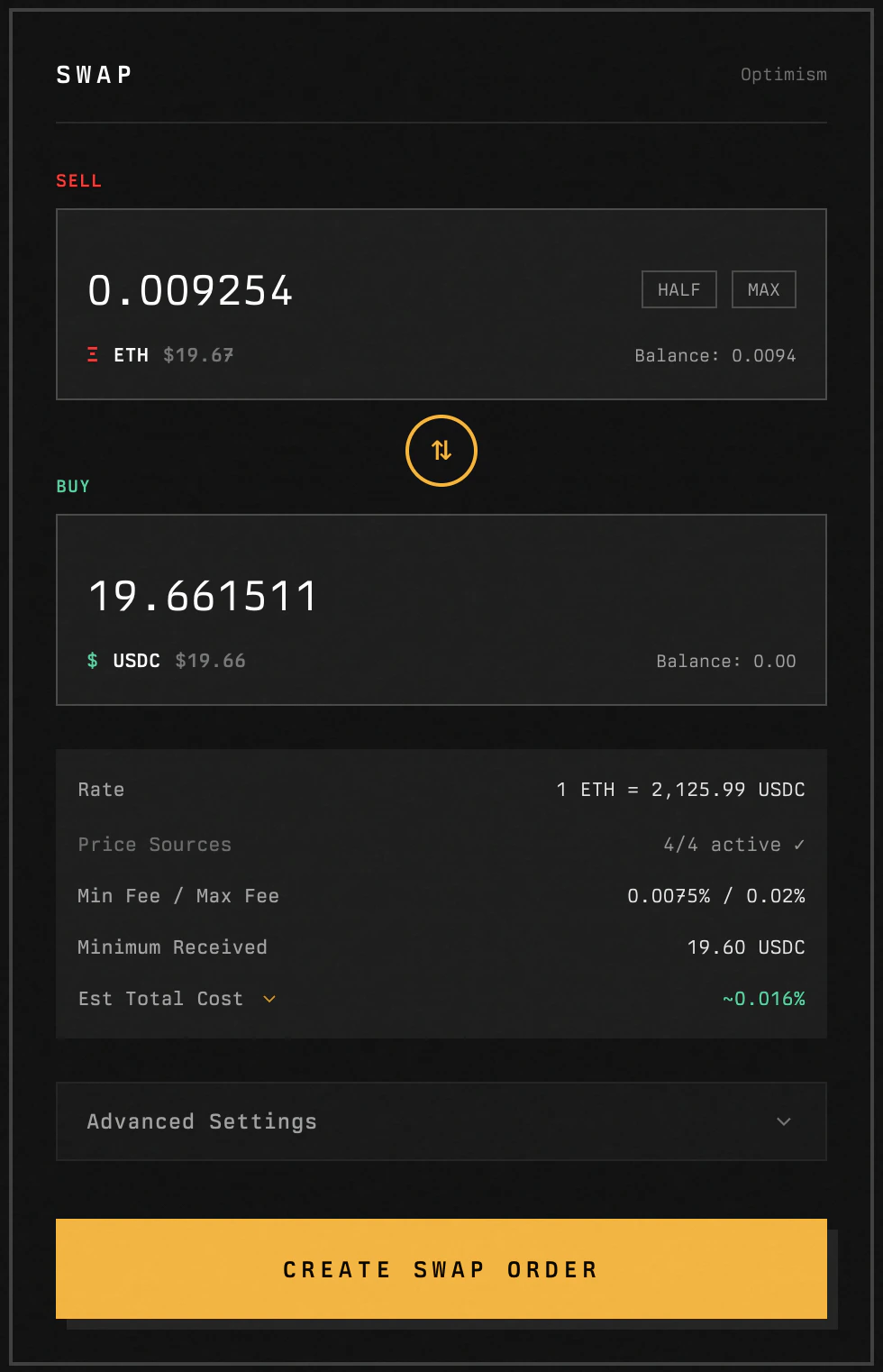
Order submitted
When a swap is created, an order is submitted, and you will see the below: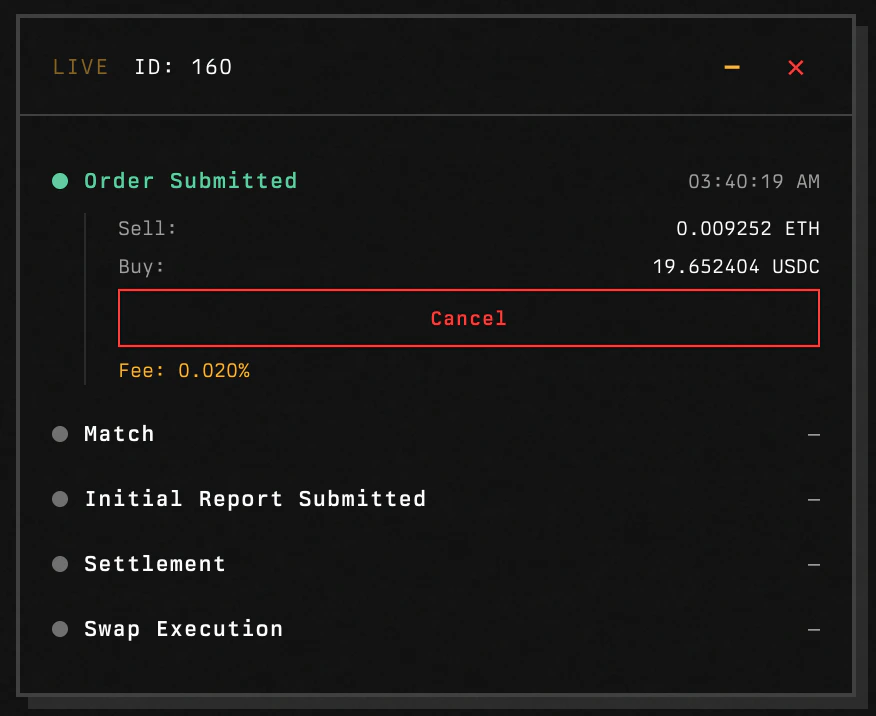
Order matched
Once your order submission has been matched, you will see the following: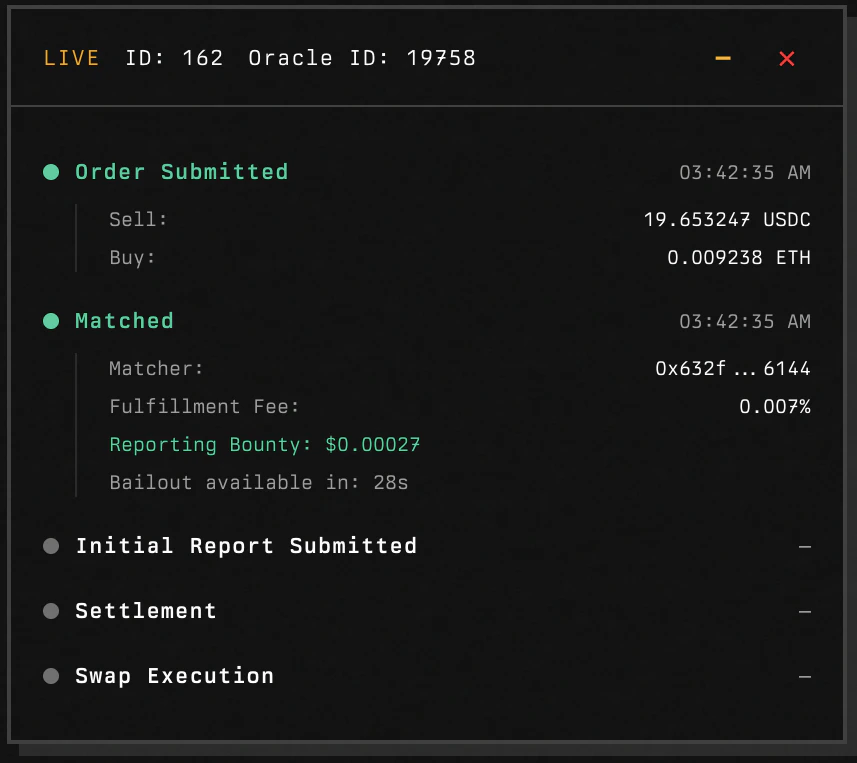
Oracle game
While the swapper doesn’t have to play the oracle game to swap, the steps of the game are exposed in the UI: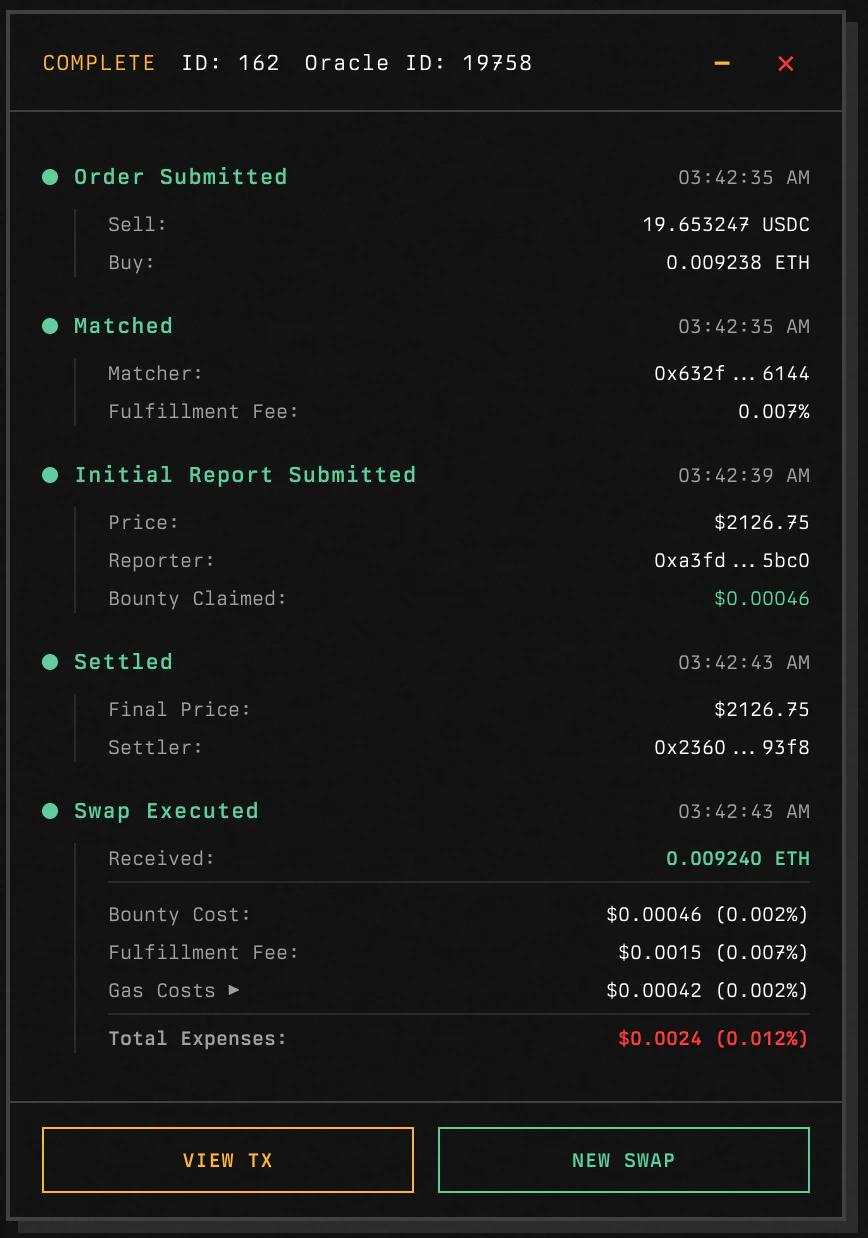
Swap executed
In the same step as the settle, if the oracle game price was inside slippage tolerance, the swap will execute. If the price is outside slippage tolerance, the swapper and matcher will be refunded their original amounts. The UI exposes all components of the fees: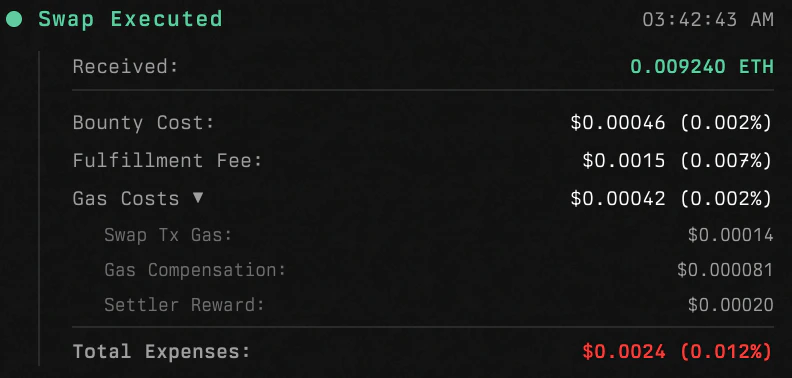
Advanced Settings
The UI exposes some advanced settings to the user: